Earned, invoiced, never collected
Invoices go overdue in the inbox noise. Without payment status across all your companies, money you already earned never lands - and you keep writing that awkward reminder email.
Billing for founders with more than one company
Beckon Billing is the billing platform for founders who run more than one venture. Quotes, invoices, recurring billing, dunning and direct debit for every company you own - one login, three plans.
Free for 7 days · usage-based, no base fee · Change plans any time, effective at once
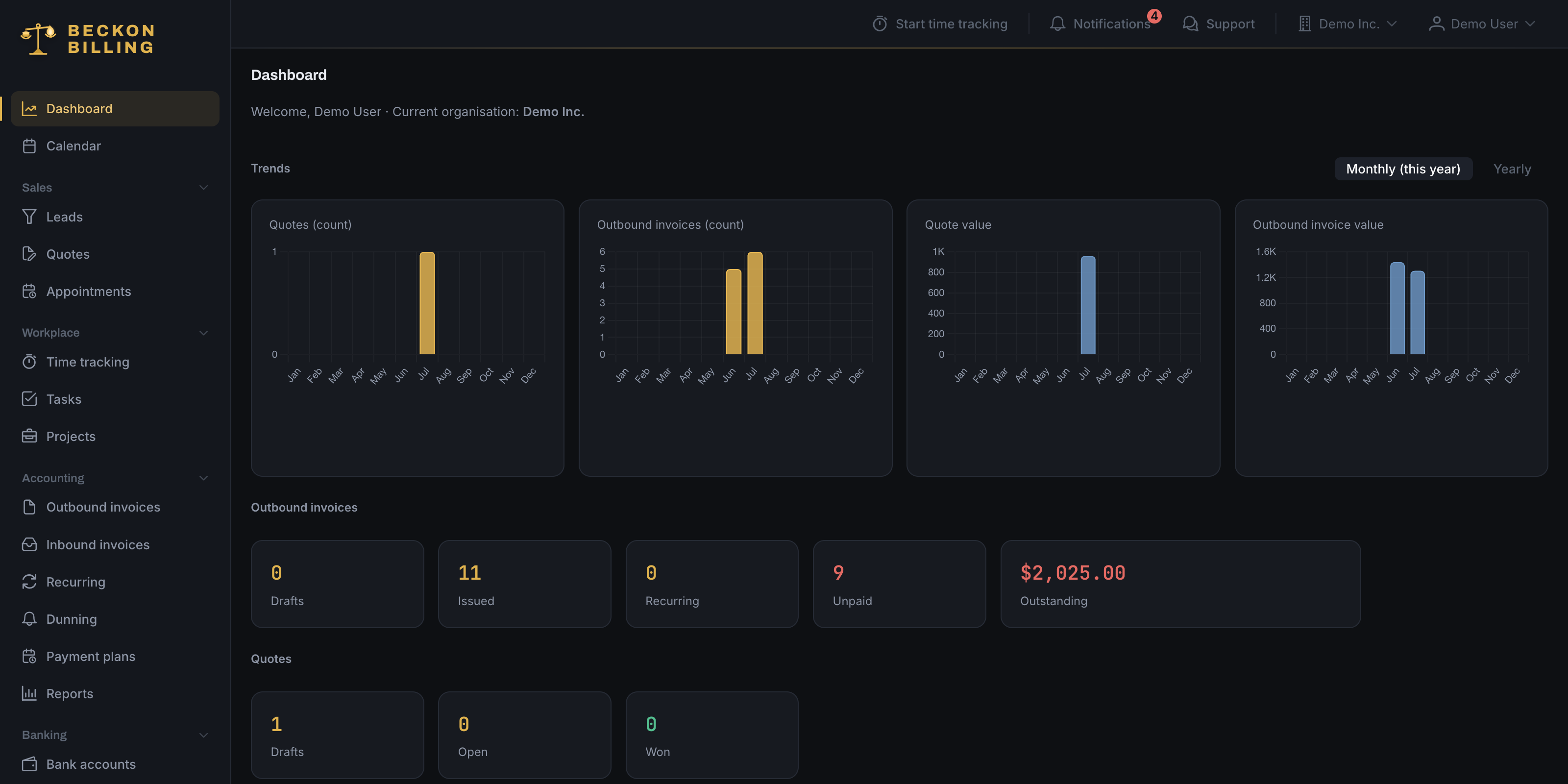
The debit side
Invoices go overdue in the inbox noise. Without payment status across all your companies, money you already earned never lands - and you keep writing that awkward reminder email.
When every offer means an evening of wrestling a Word template, you send fewer quotes - and deals die unpriced. Speed wins work; friction loses it.
One bank login here, a spreadsheet there. If you can’t see outstanding and paid revenue per company at a glance, you’re steering your portfolio blind.
The credit side
Beckon Billing treats your companies the way you do - as one portfolio. Every entity keeps its own branding, numbering, customers and team. You keep one login and one overview.
Cash flow
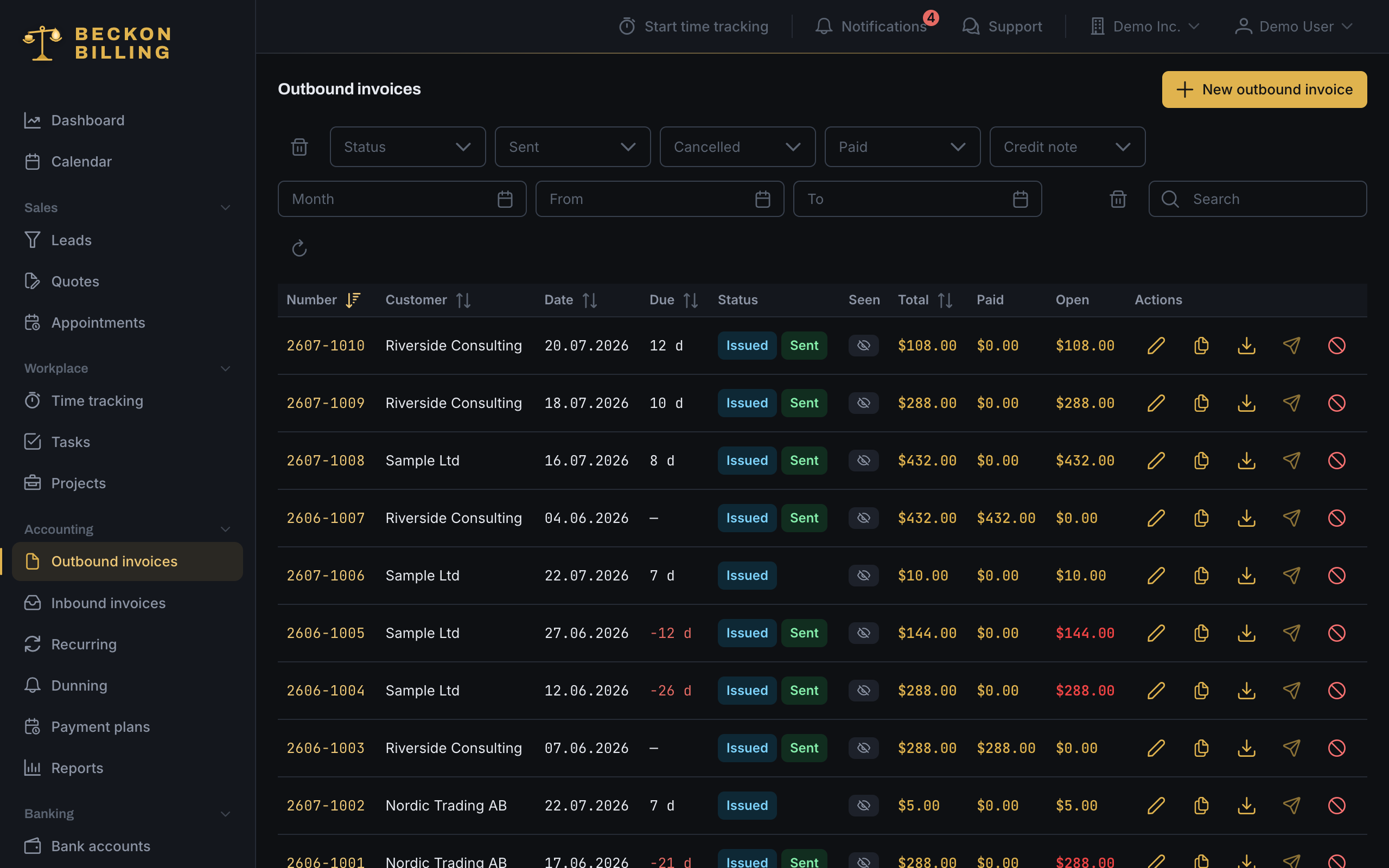
Every invoice ships with its own payment page: your customer opens the link, sees the invoice, and pays right there - by bank transfer with every detail pre-filled and a QR code, and in Max by card through your own Stripe. The moment money moves, the invoice marks itself paid and you get a ping. You can even see whether and when your customer opened it - and on partial payments, exactly what is still outstanding.
Follow-up
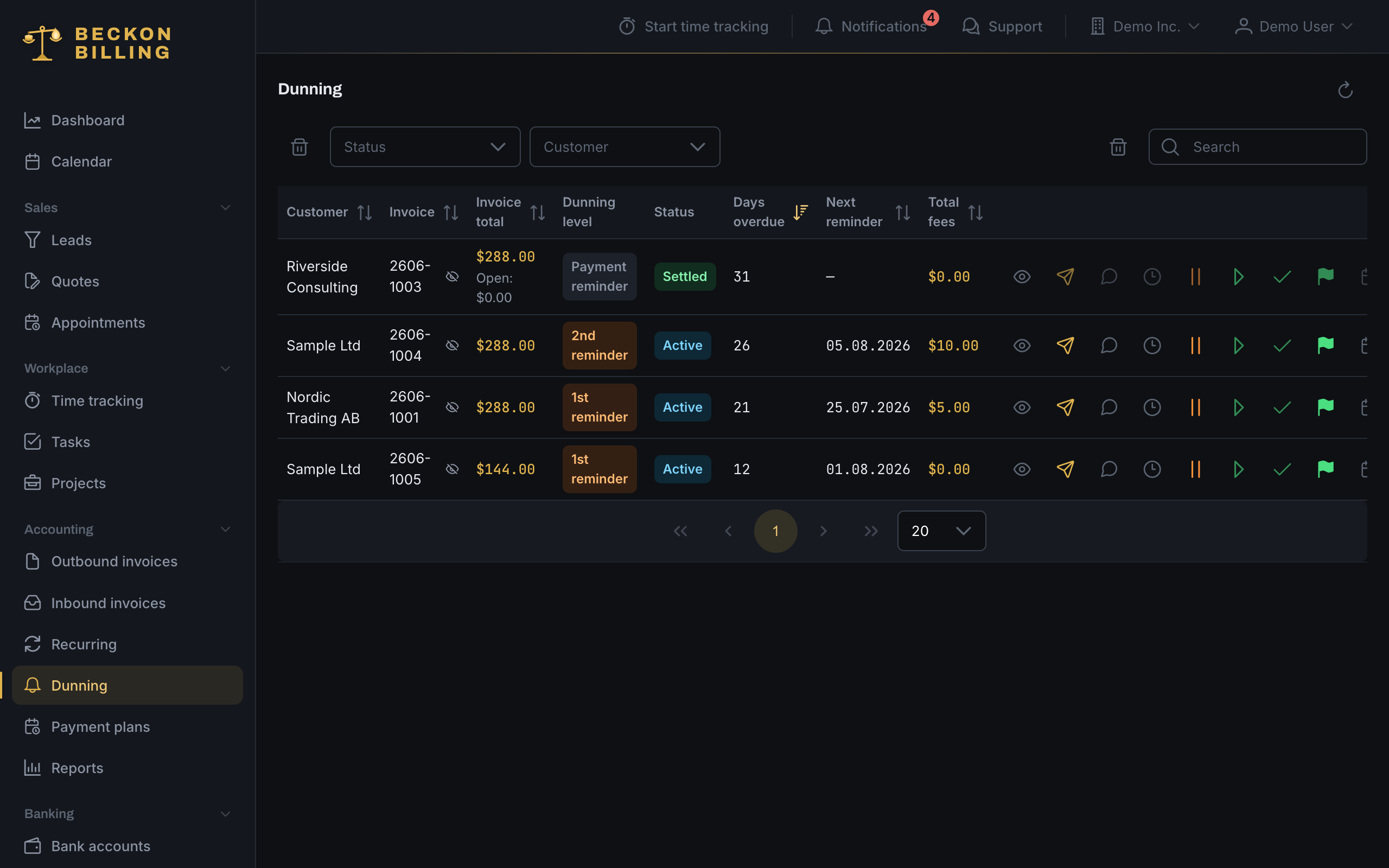
When an invoice goes unpaid, Beckon Billing takes over: from the friendly nudge through every reminder stage to the collections notice - by email and, if you want, by SMS, with late fees booked as real receivables. If someone owes you several invoices, one letter goes out instead of five. If they dispute it, you pause with a click, and anyone who can’t pay at once gets an instalment plan. That awkward reminder email? Retired.
Sales
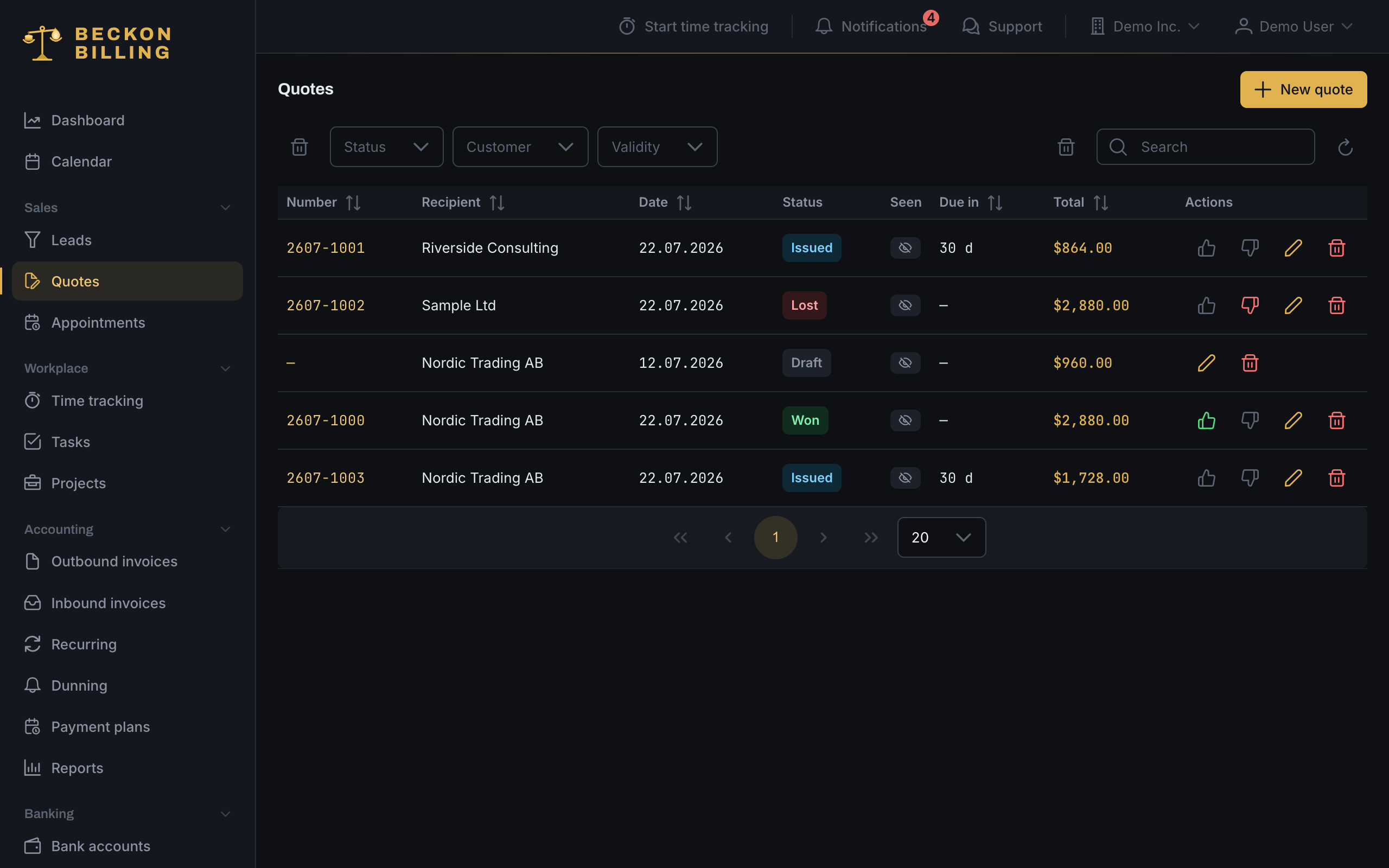
Build a quote from your article catalog in minutes and send it as a branded PDF. Your customer opens a link and accepts with a hand-drawn signature - no account, no printer, no scanner. The quote flips to won, you get notified, and one click turns it into the invoice.
Autopilotfrom Pro
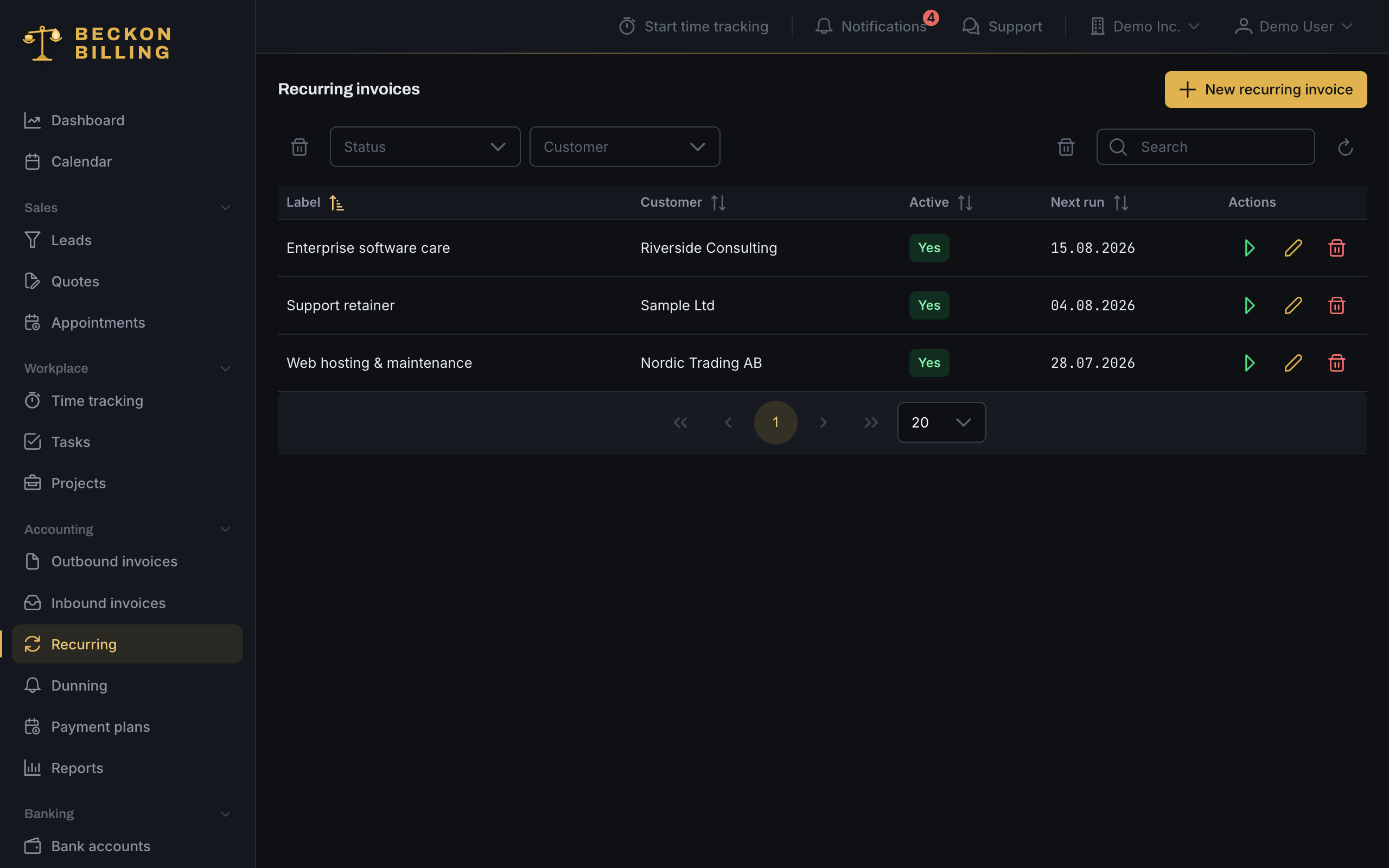
Set up a recurring invoice once - interval, first run, done. Every morning the agent creates and sends whatever is due: calendar-safe (an anchor on the 31st bills February correctly), duplicate-proof, across every company you own. All you see is the notification: sent.
Collectionfrom Pro
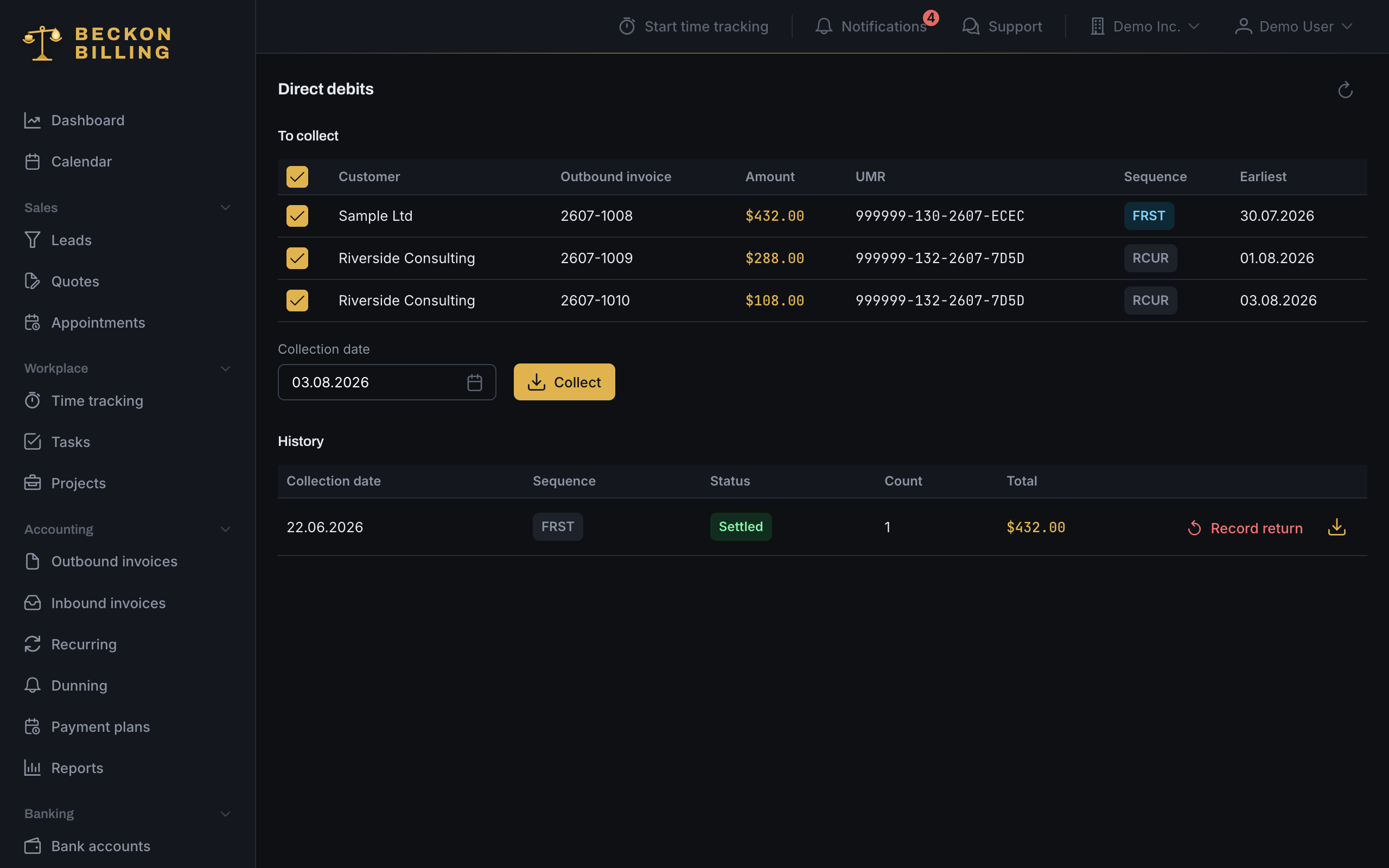
Instead of waiting for transfers, you collect. Your customer signs the SEPA mandate online - one link, no account, no printer. From then on you sweep up due invoices in a single run: Beckon Billing builds the collection file for your bank and sends the legally required advance notice by itself. And if a debit ever bounces back, the invoice reopens automatically.
Billable timefrom Pro
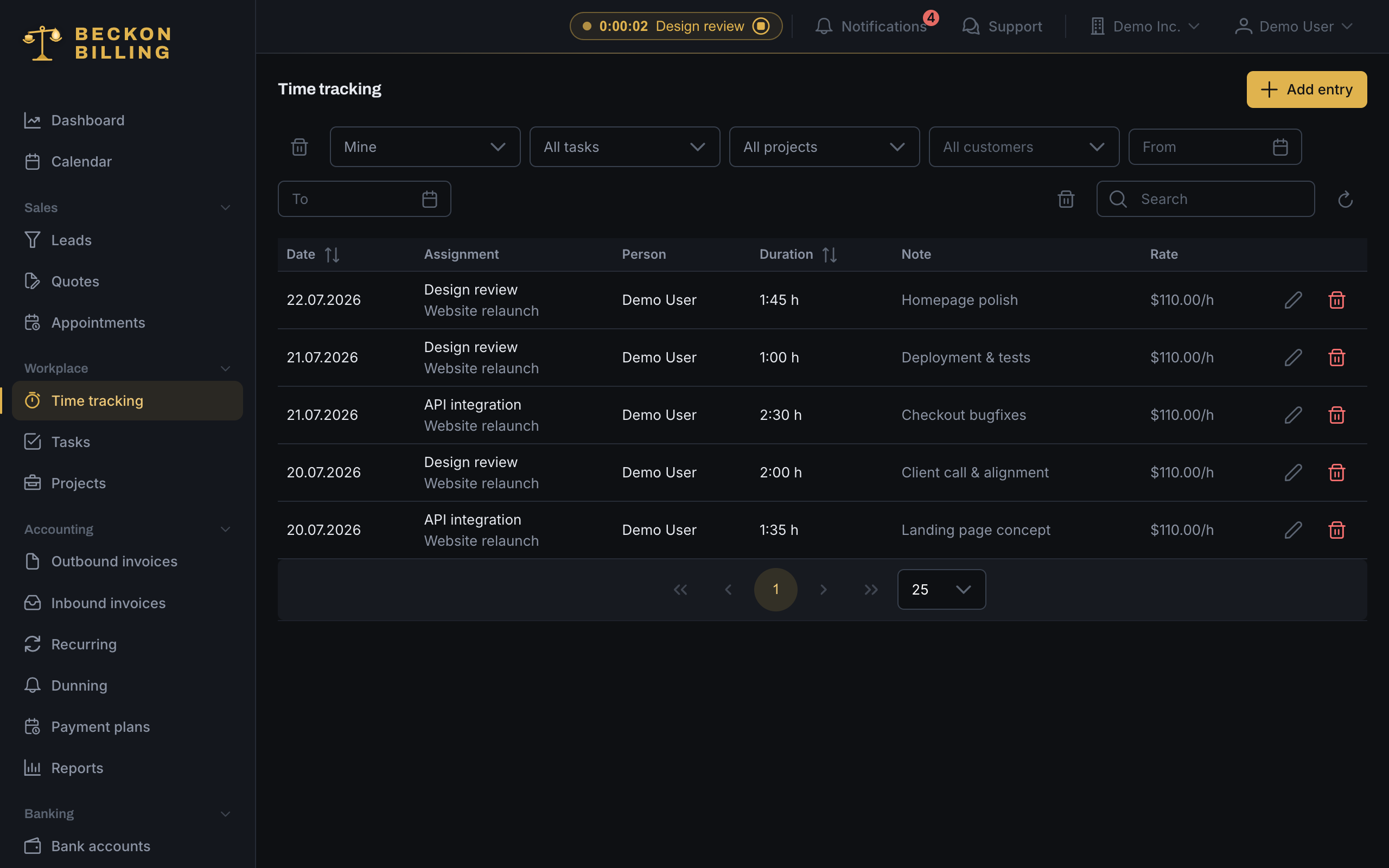
Start a timer, tag it to a project or task, done. Turn the tracked time into an invoice on demand - hourly rate per company, customer, project or task, broken down by day.
How Beckon Billing works
A lead becomes a quote, an accepted quote becomes an order confirmation and an order, an order becomes the invoice - and if it stays unpaid, Beckon Billing chases it on its own. Every stop carries exactly what belongs there: the catalog on the quote, customers and work on the order, bank and partners on the invoice. None of it needs wiring up.
Workflow diagram: a rail with six stops from leads to dunning, the building blocks that hang off each stop beside it, a band underneath holding the app, permissions and team management, and a row with the integrations of the Max plan.
across all of it
Integrations
Beyond invoices
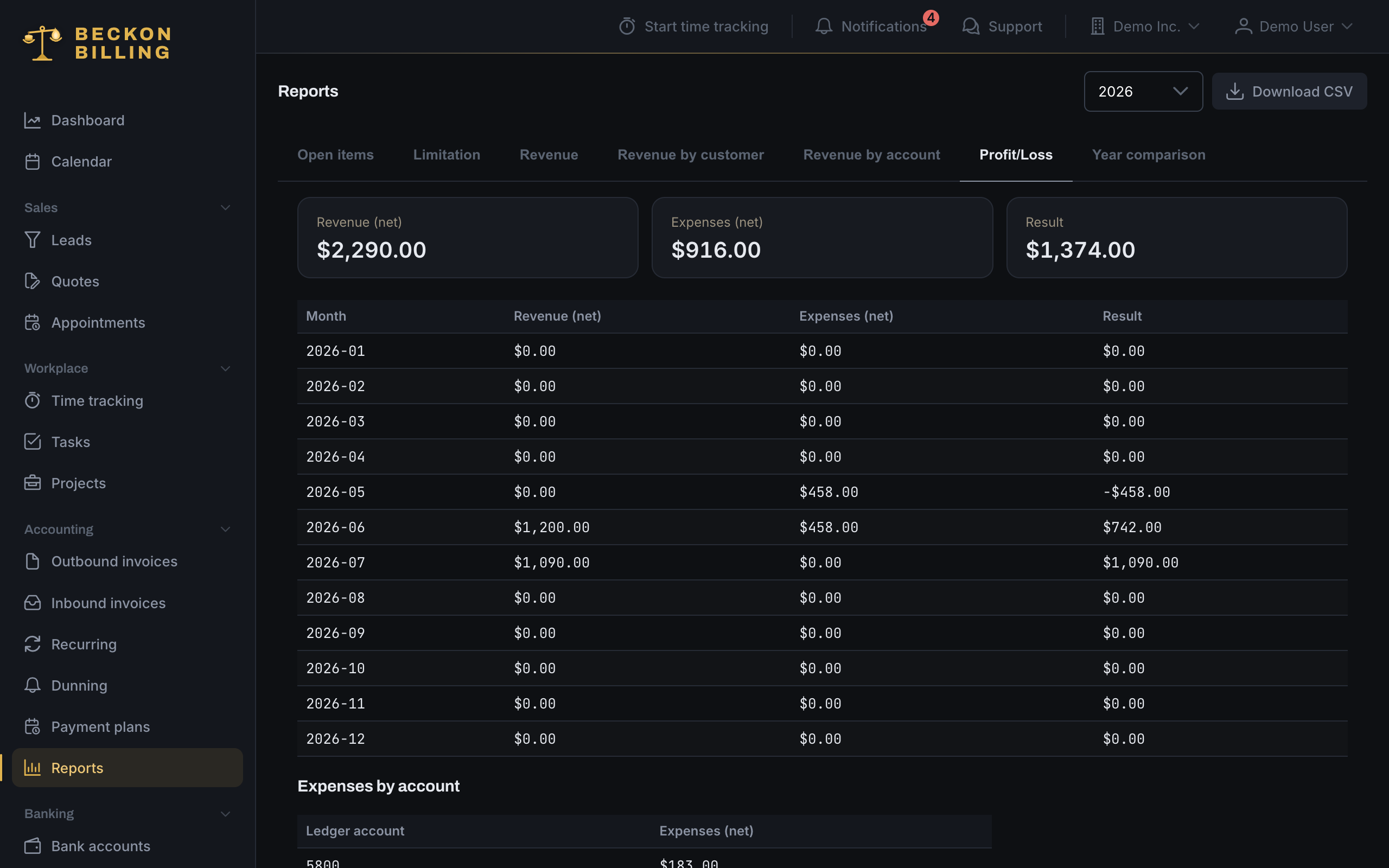
Beckon Billing doesn’t stop at the outgoing invoice. Capture suppliers and incoming invoices, and the profit-and-loss view shows what actually stays - across all your companies, in one place. And behind it, the whole operation:
Upload the PDF or forward the supplier’s email - AI reads out the amount, date and supplier, billed per use.
Import your statement - money in and out finds its own invoices, you just confirm.
Send out open supplier invoices as one file for your bank portal - or straight to the bank over EBICS in Max.
A finished monthly package (BMD, DATEV, CSV + every PDF) for your accountant.
The work behind the invoices - kanban, per-project dashboards and the payback per project.
EBICS pulls statements and pushes payments straight to your bank; Stripe takes cards on the payment page.
From first contact to paid invoice.
Prepayments and partial amounts settled cleanly.
Pay your sales partners - commissions go out monthly, automatically, via SEPA.
Merge duplicates, raise every price in one step.
In-app support tickets - a chat thread and live status.
Every deadline in one place: invoices due, quotes, tasks and leads.
Proof
How it works
Register in under a minute. Confirm your email, create your first organisation - your first 7 days are free. Start it with sample data if you want to click through everything first.
Add branding, bank details, customers and your article catalog. Invite co-founders and your accountant - free from Pro, with per-module permissions.
Send quotes your customers sign online and invoices they pay with one click - and watch every company’s dashboard update in real time.
ChatGPT & Claude connectorMax
Connect Beckon Billing to ChatGPT or Claude once and run your billing in a normal chat: look up customers, draft quotes, issue invoices, check what’s outstanding - all by message.
ChatGPT · Claude
Pricing
Your first 7 days are free, then pay as you go. You pay only for the documents you issue (quotes and invoices).
Plan 1 of 3
12.50 € at 25 documents per month, excl. VAT
usage-based, no base fee
Quote, order, invoice, reminder.
Included
Plan 2 of 3
25.00 € at 25 documents per month, excl. VAT
usage-based, no base fee
The whole operation.
Included
Plan 3 of 3
50.00 € at 25 documents per month, excl. VAT
usage-based, no base fee
Pro plus the integrations.
Included
FAQ
Pay as you go, no base fee: you pay only for the documents you issue (quotes and invoices), excl. VAT - nothing used, nothing paid. The more you issue in a month, the less each one costs. At 25 documents a month that is 12.50, 25 or 50 €. Solo covers quotes, orders, invoices and dunning, Pro the whole operation, Max adds the integrations: the bank over EBICS, card payments, the REST API and the AI connector. No contract: change plans any time, effective at once.
From your balance: you top it up by card, once or automatically. Each document is charged to it - pay as you go, nothing used, nothing paid. Excl. VAT, due when you top up. No minimum term, no contract.
Yes. Your first 7 days are free, then pay as you go. It is not a sandbox either: it is your real organisation, so everything you build stays yours. Start it with sample data if you want to click through everything first.
Not from Pro upwards: users are free and unlimited there. Invite anyone to any of your organisations and control exactly what they see with per-module permissions for sales, accounting and inventory. No plan charges per seat. Solo is the plan for one person - the moment a second person joins in, you move to Pro.
Because a template can’t chase a payment, collect a signature or total your outstanding revenue. In Beckon Billing quotes convert to invoices in one click, numbering is automatic, and each company’s dashboard reconciles itself. Switching takes a lunch break: import customers, articles and recurring invoices from CSV with guided column mapping - and export everything again anytime. Your data is never locked in.
Creating an account costs nothing. After your first 7 days you pay only for what you issue, excl. VAT - nothing issued, nothing paid. No contract, change plans any time, effective at once.